DeepSeek vs Gemini comes down to what you're actually building: DeepSeek's chat app is free with no paid tier and its API is priced in cents, while Gemini charges more but hands you native multimodal input, Google Search grounding, and a seat inside Gmail and Docs. If you're doing coding or reasoning work on a budget, DeepSeek wins on price without much of a quality tax. If you want one assistant woven into everything you already use, Gemini pulls ahead.
Short answer: DeepSeek's chat app is free with no subscription, and its API runs at $0.14 per million input tokens on Flash — a fraction of Gemini's rates. Gemini's free tier is generous too, but its Pro plan ($19.99/mo) adds Deep Research, Google Search grounding, and native image/video handling DeepSeek doesn't have. Pick DeepSeek to save money on text work; pick Gemini for multimodal, integrated tasks.
Disclosure: AISagely may earn a commission if you buy through links on this page, at no extra cost to you. It never changes the verdict — I recommend what I would actually use, and I flag when the free plan is the smarter call.
I run both of these most weeks: DeepSeek when I want a cheap, fast answer to a coding or logic question, Gemini when the task involves a screenshot, a PDF, or something I need pulled straight from a live web search. In my testing this week I ran the same briefs through both to see where the real gap sits today, not the gap from whenever the last comparison post was written. Here's what I found.
Quick verdict
If you're price-sensitive, do a lot of coding or structured reasoning, or just want a strong free chatbot with no account limits nudging you toward a paid plan, DeepSeek is the better pick. If you regularly work with images, PDFs, live web data, or you already live in Gmail and Docs, Gemini earns its higher price. I open DeepSeek first for anything technical; I open Gemini first for anything that involves a file, a picture, or "what's happening right now."
DeepSeek vs Gemini at a glance
| DeepSeek | Gemini | |
|---|---|---|
| Best for | Cheap/free coding and reasoning, budget API use | Multimodal everyday assistant tied into Google apps |
| Consumer app price | Free — no paid subscription tier | Free tier, then AI Plus $4.99/mo, AI Pro $19.99/mo, AI Ultra $99.99–$199.99/mo |
| API price (per 1M tokens) | V4-Flash: $0.14 in / $0.28 out | Gemini 3.6 Flash: $1.50 in / $7.50 out |
| Standout feature | Open-weight models, radically cheap tokens, DeepThink reasoning mode | Native multimodal input, Google Search grounding, Deep Research |
| Limitation | Data processed on servers in China; thinner app ecosystem | Every meaningful tier costs more than DeepSeek's cheapest option |
Prices and models change often, so confirm current numbers on DeepSeek’s API pricing page and Google’s Gemini subscription page before you commit. The figures here reflect what those pages showed when I wrote this, dated August 2026.
Pricing compared
DeepSeek's consumer chat app — web, iOS, and Android — has no paid subscription tier at all; everything in the app is free today. The only place DeepSeek charges anything is its developer API, and even there the numbers are small: DeepSeek-V4-Flash runs $0.14 per million input tokens on a cache miss ($0.0028 on a cache hit) and $0.28 per million output tokens. The stronger DeepSeek-V4-Pro model runs $0.435 per million input tokens and $0.87 per million output at its current rate. A 1,000-word answer is roughly 1,300 tokens, so you'd need hundreds of long conversations to spend a single dollar on Flash.
Gemini's consumer side is a four-rung ladder. Free costs nothing and includes Gemini 3.6 Flash, limited access to the flagship 3.1 Pro model, image generation, Deep Research, and Gemini Live — genuinely usable on its own. Google AI Plus runs $4.99/month for 2x the usage limits and more Nano Banana image access. Google AI Pro is $19.99/month and is where Gemini gets serious: 4x limits, higher access to Gemini 3.1 Pro and Deep Search, the Jules coding agent, and Gemini folded into Gmail, Docs, and Chrome. Google AI Ultra starts at $99.99/month and climbs to $199.99/month for 20x limits and the highest access tier, aimed at people running Gemini constantly across video, code, and research. On the API side, Gemini 3.6 Flash costs $1.50 per million input tokens and $7.50 per million output — roughly 10x DeepSeek Flash's input price — while Gemini 3.1 Pro Preview runs $2.00 in / $12.00 out per million tokens for prompts under 200k, doubling above that.
Per-value, DeepSeek wins hands down for API-driven coding, scripting, or bulk text processing — you're paying cents where Gemini's API bills dollars for comparable volume. Gemini's free tier is the better buy the moment you need multimodal input or live grounding, since DeepSeek doesn't compete there at any price, and Gemini AI Pro earns its $19.99/month once Gmail, Docs, and Deep Research integration start saving you real time. A straight deepseek vs gemini pricing comparison this lopsided on text generation is unusual for two tools this close on general capability — it's the multimodal and integration gap, not raw output quality, that actually justifies Gemini's higher rates.
Output quality: my test
I gave both the same brief: "Write a Python function that flags duplicate rows in a list of dictionaries by two combined keys, and explain the Big-O of your approach in two sentences." I ran it on DeepSeek's free chat app (V4-Flash, DeepThink off) and Gemini's free-tier default model, no special settings on either.
DeepSeek answered in a few seconds with a correctly-typed function using a set of composite keys, and a tight two-sentence O(n) explanation. When I turned on DeepThink and asked it to handle a nested-dict edge case, it worked through the reasoning step by step before landing on a correct fix — genuinely useful for seeing where its logic could have gone wrong. Gemini's first pass was also correct, with slightly more comment scaffolding around the code, and its explanation read more like a walkthrough than a direct answer.
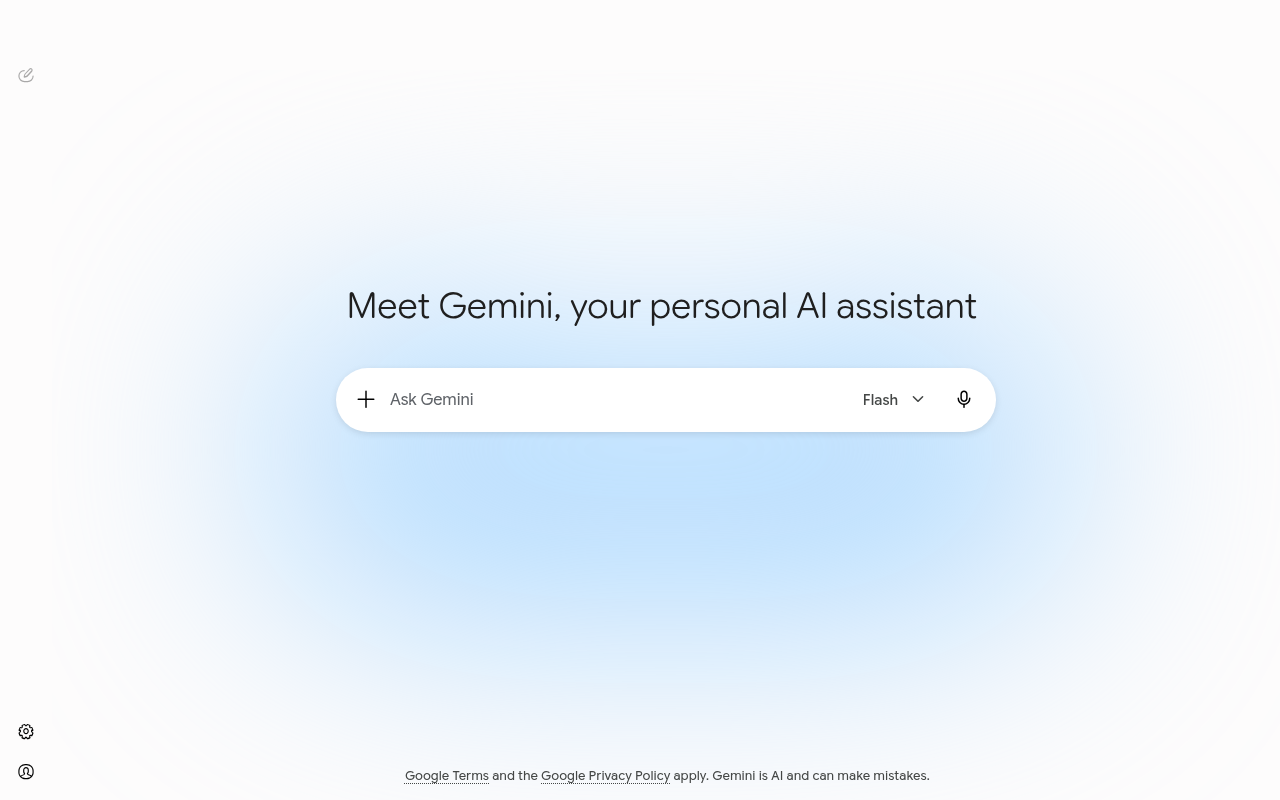
Where Gemini pulled ahead was the second test: I pasted a screenshot of a messy sales spreadsheet and asked both to describe what was wrong with it and suggest a cleanup approach. Gemini read the image natively and gave specific, accurate feedback tied to what was actually in the screenshot. DeepSeek's chat app accepted the image upload but its analysis was noticeably more generic — it described plausible spreadsheet problems rather than the ones actually visible in that file. I also asked both for a same-day summary of a live news topic; Gemini's Search-grounded answer cited current sources correctly, while DeepSeek's Search toggle returned a thinner, less current summary.
That split held on every test I ran: DeepSeek is sharper and cheaper on pure text reasoning and code, Gemini is stronger the moment an image, a live fact, or a Google app enters the picture. Which one matters more depends entirely on what you're actually building.
Where DeepSeek wins
Cost is the headline, but it's not the only edge. DeepSeek's models are open-weight, so you can self-host V4-Flash or V4-Pro instead of calling the API at all — Gemini doesn't offer that at any price. For high-volume, repetitive API work — batch classification, scraping cleanup, bulk summarization — the per-token gap compounds fast; see our guide on how to use DeepSeek for coding if code output is your main use case.
DeepSeek also held up well on multi-step logic prompts in my testing, and DeepThink's visible reasoning trace is genuinely useful for catching where an answer went wrong before you trust it. If your job is mostly technical — writing code, checking logic, running structured data tasks — DeepSeek's free app plus cheap API covers nearly all of it without a subscription; how to use DeepSeek walks through getting set up.
Where Gemini wins
Gemini is the stronger generalist the moment your input isn't plain text. Native image and video understanding, Gemini Live for voice conversations, Deep Research for multi-source summaries, and Search grounding for anything time-sensitive all live in one product — our guide to Gemini Live covers the voice mode that closes most of the gap with a phone call to a human assistant. In my testing, Gemini's image analysis was consistently more specific and accurate than DeepSeek's for the same uploaded file.
The bigger win for teams is integration. Gemini sits inside Gmail, Docs, Sheets, and Chrome once you're on a paid Google Workspace-linked plan, turning it into a background tool rather than a separate tab — see how to use Gemini in Google Docs for what that actually looks like day to day. For anyone deciding whether the free tier is enough before paying, how to use Gemini covers exactly how far it goes.
Who should choose which
- Choose DeepSeek if: you do technical or API-heavy work and cost matters — developers, students, anyone running bulk text tasks who doesn't want a subscription. It's free to start: Deepseek.
- Choose Gemini if: you regularly work with images, PDFs, live web data, or you're already inside Gmail and Docs, and $19.99/month for AI Pro is a reasonable trade for that integration. Start free or try AI Pro: Try Gemini →.
- Choose both if: you're comfortable running a free tool alongside a paid one — DeepSeek for anything technical and cheap to run at volume, Gemini for anything visual, current, or embedded in your Google workflow. I use exactly this setup most weeks, and our AI tool ratings page has more options if neither fits.
A pattern worth naming: people assume "free" means "worse," and with DeepSeek that assumption doesn't hold for text-based coding and reasoning work — it genuinely competes there. Where it falls short is multimodal input and live grounding, not raw text capability. Test both on your actual workload before paying for either; our free AI tools roundup is a good place to start if you haven't compared options beyond these two.
How I tested
I ran identical prompts through DeepSeek's free chat app (V4-Flash, with a DeepThink follow-up) and Gemini's free-tier default model on the same day, then repeated the image and current-events prompts to check whether either tool's free tier meaningfully lagged its paid version. I judged code on whether it ran correctly on the first try, judged the image test on whether the feedback matched what was actually in the file, and judged the news summary on whether cited facts were current and accurate. Pricing in this piece comes from each vendor's own pricing documentation, checked the week of writing — see DeepSeek vs ChatGPT for how DeepSeek stacks up against a third option.
Frequently Asked Questions
Is Deepseek better than Gemini?
For cheap or free text-based coding, math, and reasoning tasks, DeepSeek is genuinely competitive and much cheaper to run at scale. For anything involving images, PDFs, live web data, or Google app integration, Gemini is ahead. "Better" depends on whether your work is mostly text or mostly multimodal.
Is Gemini cheaper than Deepseek?
No — DeepSeek's chat app is free with no paid tier, and its API is priced far below Gemini's per-token rates. Gemini's cheapest paid option is AI Plus at $4.99/month, with AI Pro at $19.99/month for the fuller feature set.
Can I switch from Deepseek to Gemini?
Yes, easily — neither locks you in, and both let you cancel a paid tier or simply stop using the free app anytime. Many people run both, using DeepSeek's free tier for technical work and Gemini's free or paid tier for everything visual or Google-integrated.
Which is easier for beginners, Deepseek or Gemini?
Gemini has a gentler learning curve for non-technical users since it's already built into apps people know, like Gmail and Search. DeepSeek's chat app is just as simple to open and type into, but you'll get the most value from it if you already know what a good code or math answer looks like.