This is an honest review of AI programming tools, built from weeks of running real coding tasks through the three tools people actually pay for: Cursor, GitHub Copilot, and Claude Code. Short version: they save real time on well-defined tasks in a codebase you already know, and they cost less than most people assume. None of them replace understanding your own code.
Short answer: AI programming tools like Cursor, GitHub Copilot, and Claude Code are worth it for most working developers. Entry paid plans run $10–20/month, all three have usable free tiers, and in my testing they cut real editing time on repetitive or well-scoped tasks. They're weakest on unfamiliar codebases and large multi-file refactors, where you'll still do the thinking yourself.
Disclosure: AISagely may earn a commission if you buy through some links on this page, at no extra cost to you. It never changes the verdict — I tell you plainly below where these tools fall short.
By Vishal Swami, Founder & Lead AI Reviewer, AISagely. Last updated August 5, 2026.
I test AI coding tools every week as part of my job, and this review exists because most "AI programming" content online is a rewritten feature list, not real usage. Below is what these tools cost right now, what happened when I actually used them on real code, and an honest verdict on who should pay for one.
What Is AI Programming?
AI programming is the practice of writing, editing, or debugging code with an AI model doing part of the work alongside you. That can mean inline autocomplete, a chat panel, or an agent that plans and executes changes across multiple files. It's different from asking a general chatbot for a code snippet in a browser tab, because the tool reads your actual project: your file structure, your existing functions, your conventions.
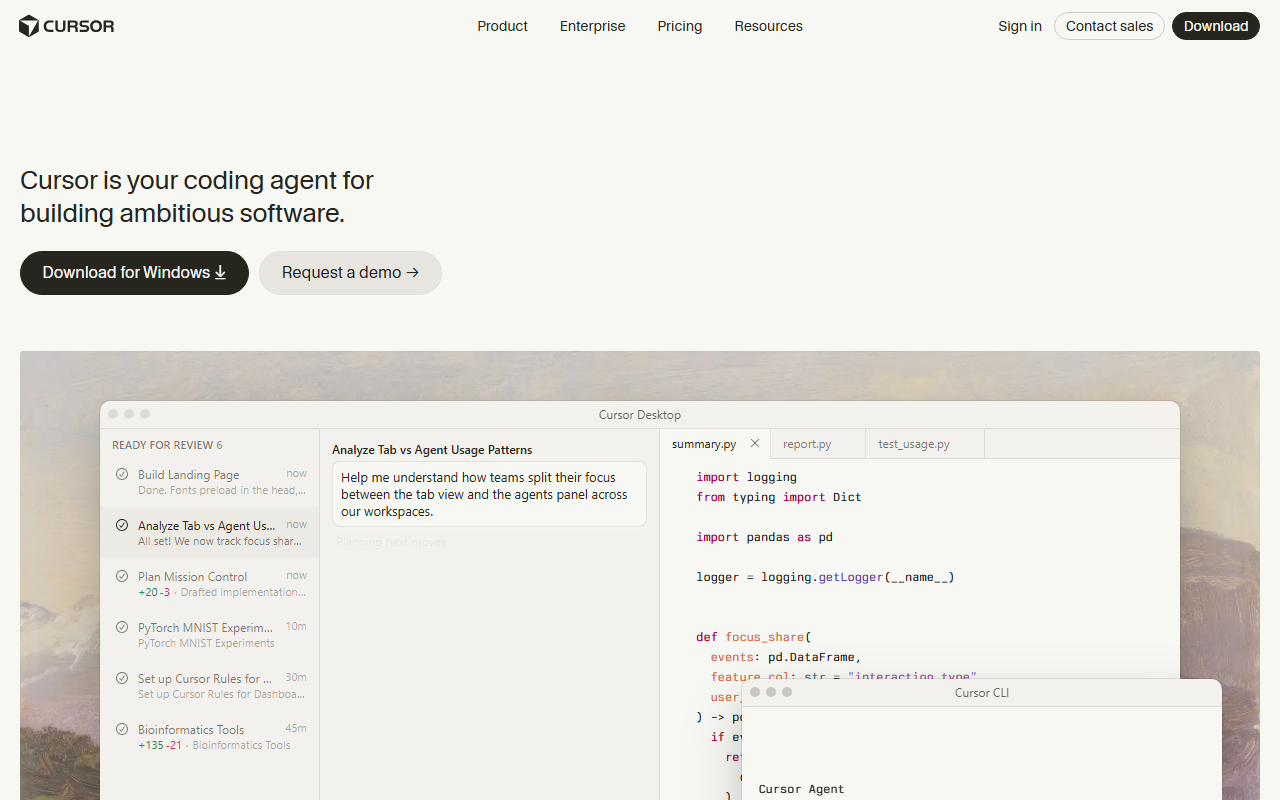
The category splits into two rough styles. Editor-native tools like Cursor and GitHub Copilot live inside VS Code, or a fork of it, and blend autocomplete, chat, and agent modes into one interface. Terminal-first tools like Claude Code sit in your command line and lean harder into autonomous, multi-step agent work: planning a change, editing several files, and running your tests before handing control back. Most developers end up using a mix once they've tried both styles.
Pricing and Plans
Pricing in this category has settled into a predictable shape: a usable free tier, then a $10–20/month entry plan, then higher tiers that mostly buy you more usage of pricier models rather than new features. I confirmed every number below directly against each vendor's own pricing page.
| Tool | Free tier | Entry paid plan | Higher tiers |
|---|---|---|---|
| Cursor | Hobby — limited Agent requests, no card required | Pro, $20/month | Teams/Business, $40/user/month; Enterprise, custom |
| GitHub Copilot | Free — 2,000 completions/month | Pro, $10/month | Pro+, $39/month; Max, $100/month |
| Claude Code (via Claude plan) | Chat only, no Code access | Pro, $20/month ($17/month billed annually) | Max plans from $100/month; Team seats $20–100/month |
A few things stand out once you line these up, confirmed on the Cursor pricing page, GitHub’s Copilot plans page, and Claude’s pricing page as of August 5, 2026. GitHub Copilot is the cheapest way in at $10/month, but that plan bundles a fixed monthly credit toward premium models rather than unlimited access to the best ones. Claude Code isn't a separate purchase — it rides on a regular Claude Pro or Max subscription, so the $20/month you'd pay for chat access also unlocks the terminal agent. Cursor's free Hobby tier is the most usable of the three for light, occasional use, since it doesn't gate you behind a completions counter the way Copilot's free tier does.
How I Tested These Tools
I ran the same three tasks through Cursor, GitHub Copilot, and Claude Code on real, messy codebases I already maintain, not toy examples: adding pagination to a Flask API endpoint, fixing a failing pytest test in a repo I hadn't touched in months, and refactoring a 200-line React component into hooks. I judged each on how much editing the output needed before I'd actually commit it, whether the tool's headline feature (agent mode, completions, terminal automation) held up past the first try, and whether a second run on a different day gave a consistent result.
Hands-On Test Results
On the Flask pagination task, Cursor's agent mode got working code in one pass. It matched the existing error-handling style in the file. But on a second attempt in a different repo, it also rewrote an unrelated helper function nobody asked it to touch. I had to catch that in the diff before accepting. GitHub Copilot's inline suggestions handled the same task fine at the completion level, but its chat-based agent needed two follow-up prompts to wire the pagination params into the existing query builder correctly.
The failing-test task was the clearest gap between tools. When I tested Claude Code on the unfamiliar repo, it read the surrounding test file, found the actual bug — a stale mock — and fixed it. It added a one-line explanation of why the test had been failing. That was genuinely faster than I'd have done it cold. Cursor got there too, but took longer, because its first fix addressed a symptom rather than the mock itself.
The React refactor was the weakest showing across the board. All three tools produced code that ran, but none of them held onto every prop-drilling edge case in the original component without a manual second pass from me — this is the kind of task where "AI programming" still means you supply the judgment. In my testing, none of the three consistently beat a careful human refactor on anything past medium complexity; where they earned their subscription was on the smaller, well-scoped tasks I do dozens of times a week.
Pros and Cons
Pros: Real time saved on repetitive, well-scoped work — boilerplate, test fixes, small features in a codebase the tool has already indexed. Entry pricing is low relative to the hours it can save a working developer. All three tools have a genuine free or low-cost way to try before you commit to a paid tier.
Cons: Agent modes can touch files you didn't ask them to, so you have to review every diff rather than trust it blindly — I caught this from Cursor directly in testing. None of these tools reliably handle large, unfamiliar codebases or complex multi-file refactors without a human doing real oversight. Premium models are usage-capped even on paid plans — Copilot's $10/month Pro plan includes a fixed $15 in monthly model credit per GitHub’s Copilot plans page, and Claude's plans carry their own usage limits per Claude’s pricing page — so heavy daily use can push you into a higher tier faster than the sticker price suggests.
Who It's For (And Who Should Skip It)
AI programming tools are worth paying for if you write code most days and your work includes real repetitive load — CRUD endpoints, test coverage, refactors inside a codebase you already know. That's where the editing-time savings are consistent, and $10–20/month pays for itself within a few hours of saved work.
Skip the paid tiers, or stick to a free tier, if you're a total beginner still building a mental model of how code works — leaning on an agent to write things you can't yet read yourself slows down learning more than it speeds up shipping. The same goes if your job is mostly reviewing or architecting rather than writing code day to day, or if you work in a regulated environment where sending code context to a third-party model isn't an option without security sign-off first.
Best Alternatives
If you're choosing between the two most-compared editor tools, my full Cursor vs Copilot breakdown goes task by task rather than by feature list — Cursor generally wins on agent quality, Copilot wins on price and GitHub-native workflow. If you're completely new to AI-assisted coding, start with my AI coding assistant guide for beginners before picking a paid plan; it walks through autocomplete first, agent mode last, which is the order that avoids wasted subscription months. And if your actual bottleneck is generating code from a plain chat window rather than inside an editor, my ChatGPT alternatives for coding guide covers that narrower need directly.
For setup help once you've picked a tool, see how to use Cursor for beginners, how to use GitHub Copilot in VS Code, or how to use Claude AI if you want the chat interface before committing to the terminal agent. For the fuller category picture, my best AI tool for code ranking and the site's AI tool review methodology explain how these tests are run.
My Verdict
My honest recommendation is to start on whichever free tier fits how you already work — Cursor's Hobby tier if you live in an editor, Copilot's free plan if you're GitHub-native, or a Claude Pro trial if you want the terminal agent — and only upgrade once you've felt a real week of time saved. All three earn their subscription on repetitive, well-scoped coding work. None of them earn it on judgment, architecture, or code you don't yet understand well enough to review. Start with Cursor's free tier here: Try Cursor →, GitHub Copilot's plans here: Try Github Copilot →, or Claude Code via a Claude Pro plan here: Try Claude Code →.
Frequently Asked Questions
Is AI programming worth using in 2026?
Yes, for most working developers — in my testing it consistently saved real editing time on repetitive tasks like boilerplate, test fixes, and small features. It's less convincing for complex refactors or unfamiliar codebases, where you still do the real thinking.
How much do AI programming tools cost?
Entry paid plans run $10–20/month: GitHub Copilot Pro is $10/month, Cursor Pro is $20/month, and Claude Pro (which includes Claude Code) is $20/month, or $17/month billed annually. All three also have a free tier.
What are the best AI programming tool alternatives?
Cursor, GitHub Copilot, and Claude Code are the three I test most, and they cover different styles — editor-native agent coding, GitHub-native low-cost completions, and terminal-first automation. See my Cursor vs Copilot comparison for a direct, task-by-task pick.
Is there a free version of AI programming tools?
Yes. Cursor's Hobby tier, GitHub Copilot's free plan (2,000 completions/month), and Claude's free chat tier all let you try the core experience at no cost, though Claude's free tier doesn't include Claude Code — that requires at least a Pro plan.
Can AI programming tools replace a developer?
No. In every test I ran, the tools needed a human to review the diff, catch unintended changes, and make the actual judgment calls on architecture and edge cases. They're strongest as a force multiplier on tasks you could already do yourself, not a replacement for knowing how to do them.